How to view translated lyrics in Apple Music
 By Arthur Berg
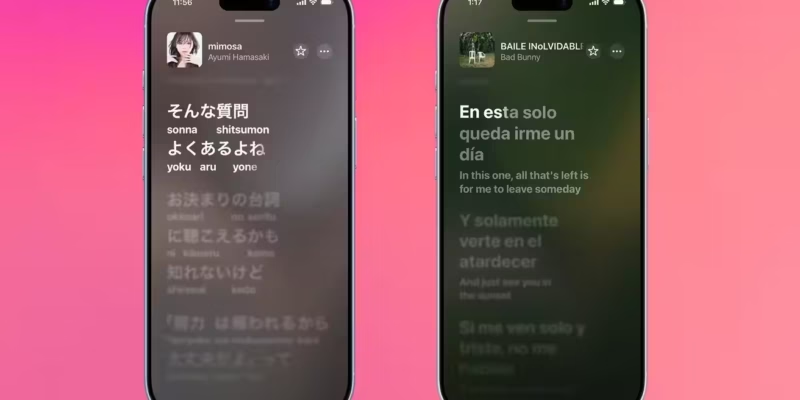
With the iOS 26 update, Apple Music now includes phonetic pronunciation guides and line-by-line translations for lyrics. These features make it easier to sing along to songs in foreign languages without knowing the language, and help you understand the meaning behind your favorite tracks. However, they’re only available on iPhone and iPad.
- iOS 26 brings phonetic pronunciation hints and line-by-line lyric translations to Apple Music
- These features are exclusive to iPhone and iPad-no support yet on Apple TV or macOS
- Translations pull from the preferred languages set in your device’s settings
How to open lyrics in Apple Music
Before trying out the new features, you need to know how to access lyrics. On iPhone, iPad, or Mac, open Apple Music and find the song you want. Tap on the track, then hit the lyrics button near the playback controls at the bottom-it looks like a quotation mark inside a speech bubble.
Many songs will display time-synced lyrics, often styled like karaoke with words highlighted as the song plays. However, not all tracks support this synchronization-some only show static line lists, and others don’t have lyrics at all.
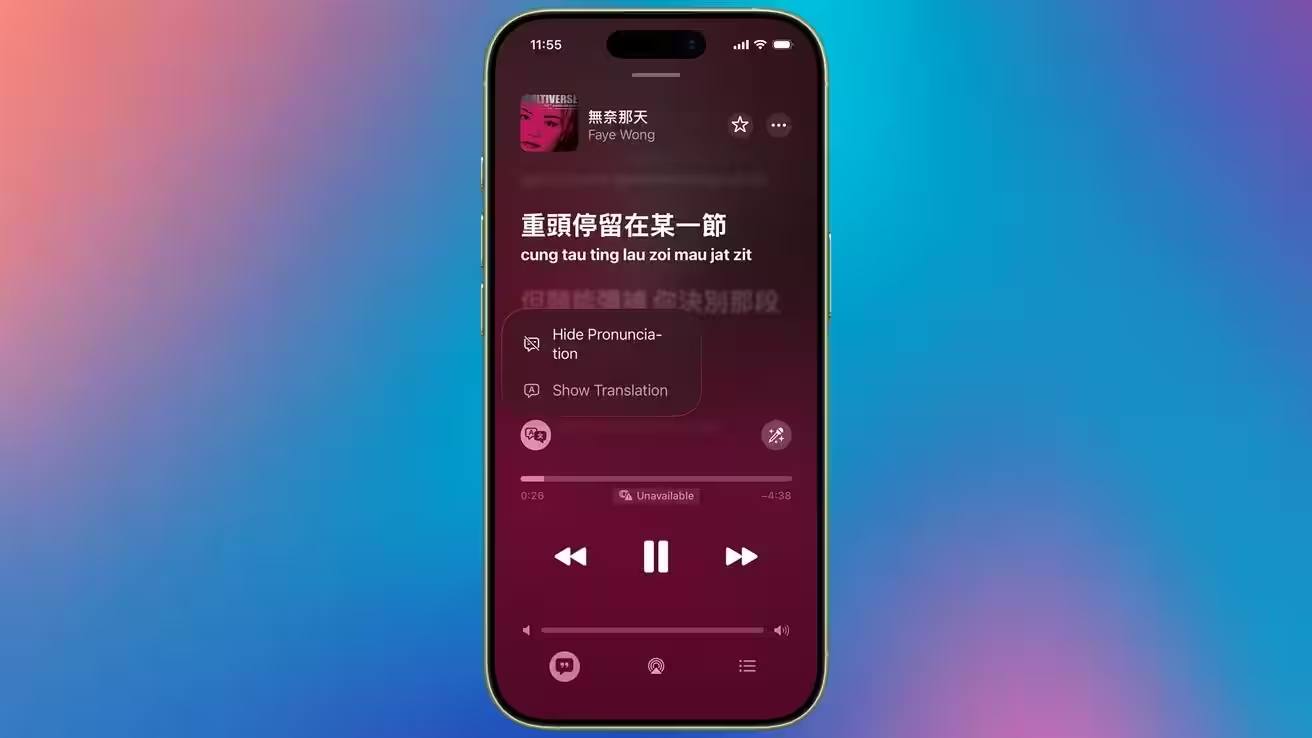
Switching between translation and pronunciation
Phonetic pronunciation and translation features currently work only on iPhone and iPad. You won’t find them on Apple TV or in Apple Music for macOS.
Open Apple Music on your iPhone or iPad and pick a song that supports phonetic hints. Tap the track, then tap the lyrics button near the playback controls. If phonetic hints are available, they’ll appear beneath the synchronized lyrics by default.
To switch to translated lyrics, tap the translation button to the left of the playback controls and then select “Show translation.” This lets you follow along with the meaning of your favorite songs or sing along without knowing the original language.
Keep in mind, not every song offers phonetic hints or translated lyrics. Translations automatically use the preferred languages from your iPhone or iPad settings.