Honor begins global rollout of MagicOS 10 based on Android 16 for Magic 7 Pro
 By Arthur Berg
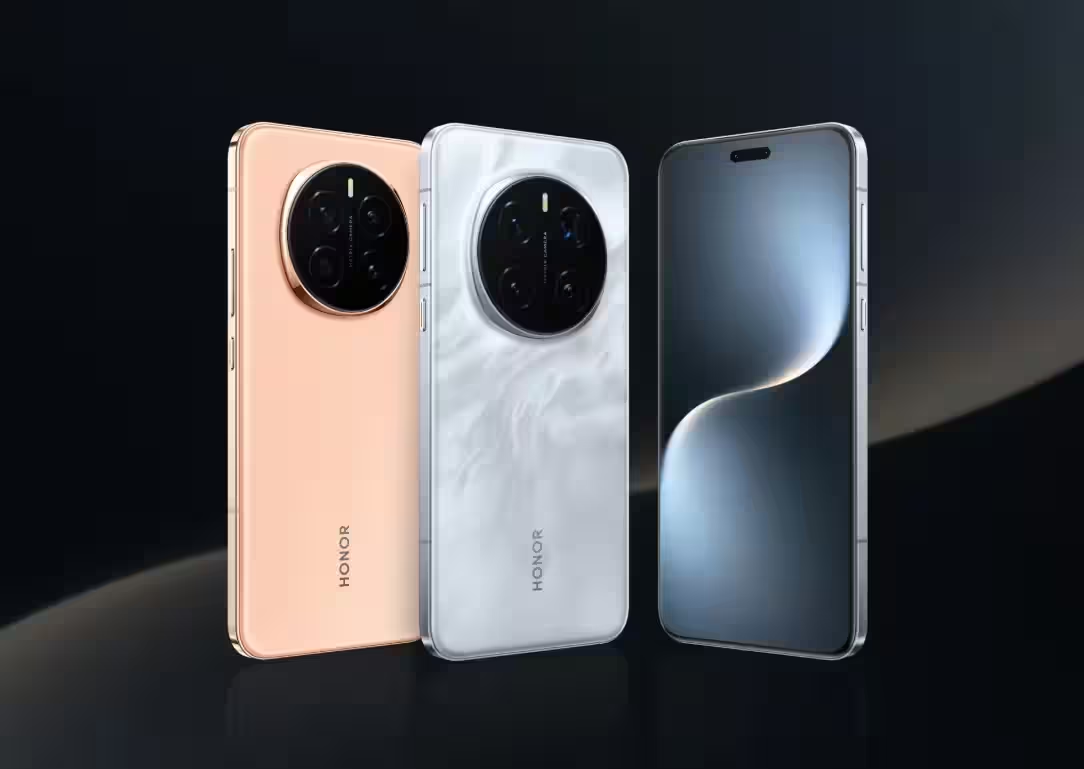
Honor has started the global rollout of its MagicOS 10 skin for the Magic 7 Pro smartphone. The update, built on Android 16, weighs in at 3.27GB and carries the version number 10.0.0.121. It arrives roughly eight months after Google’s official Android 16 release and requires 4-5GB of free storage space on the device.
One of the standout additions is the new Turbo X performance engine, which comes with clear optimization indicators. System-wide improvements include parallel operation handling on the home screen, refreshed app launch animations, enhanced camera functionality, and more responsive keyboard input.
MagicOS 10 also introduces phone call translation, accessible via Honor AI settings. Its AI-powered smart screenshots feature analyzes user behavior to automatically suggest relevant services. The update enables direct file sharing with iPhones using a device-to-device method, although iOS users will need to install Honor Connect version 1.1.18111 or later to make it work. Additionally, Honor WorkStation software streamlines data transfer between the Magic 7 Pro and macOS or Windows computers.
The control panel now sports a dark background with bright icons and customizable layouts. Lock screen personalization has been expanded with new clock styles, accessible through a two-finger swipe gesture. A transparency mode enhances visual effects for widgets and folders.
Charging status and screen recording are now displayed within Magic Capsule, providing quick access and real-time monitoring. New long-transition animations make navigation smoother in the Clock, Gallery, and Notes apps.
The update brings support for the high-quality Bluetooth audio codec LHDC 5.0 and an Android-integrated extra screen dimming feature for accessibility. A motion sickness reduction mode can automatically activate during car rides and offers customizable dot colors. The camera interface has been revamped with two-row shooting mode menus, status bar adjustments, and improved video playback in the gallery.
Screenshot capabilities have been upgraded as well – users can now capture floating windows with region selection in one step, and edited screenshots can replace originals directly if needed.
Magic 7 Pro owners can check for the update under Settings → System & updates → Software update. This major update significantly enhances device functionality, going well beyond what’s offered in standard Android 16.