Gemini has added an “Answer now” button to skip in-depth analysis
 By ForGeeks
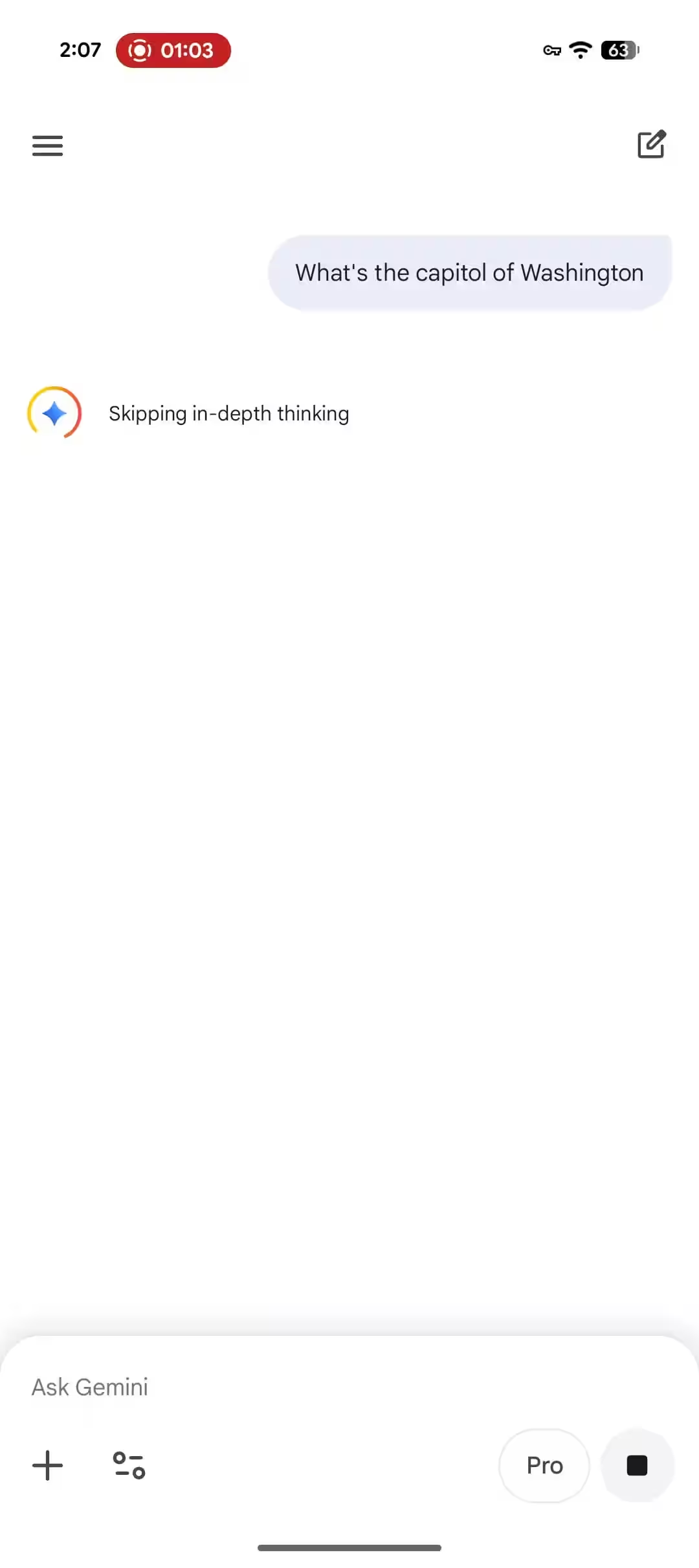
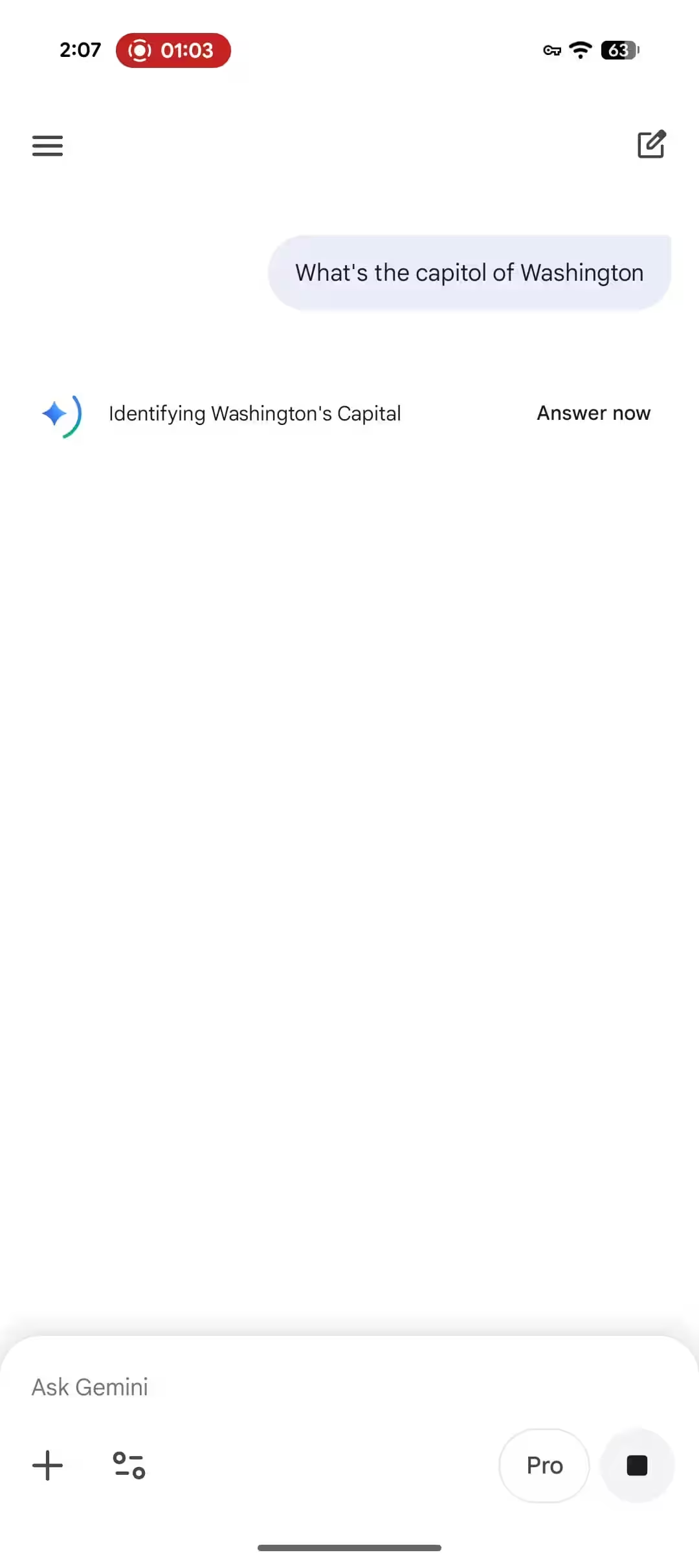
Google this week released an “Answer now” button in the Gemini app that lets you skip deep analysis mode and get an answer faster. If you’re using the Pro (Gemini 3 Pro) or Thinking (Gemini 3 Flash) models, the “Answer now” button will appear next to the loading indicator. This button does not appear when using the Fast (Gemini 3 Flash) model. Google this week also separated the usage limits for Thinking and Pro, giving users more flexibility in managing resources.
- The “Answer now” button skips deep analysis mode for Pro and Thinking models
- Replacing the “Skip” function with a new button in all versions of the app
- Separate usage limits for Thinking and Pro models
How the new button works
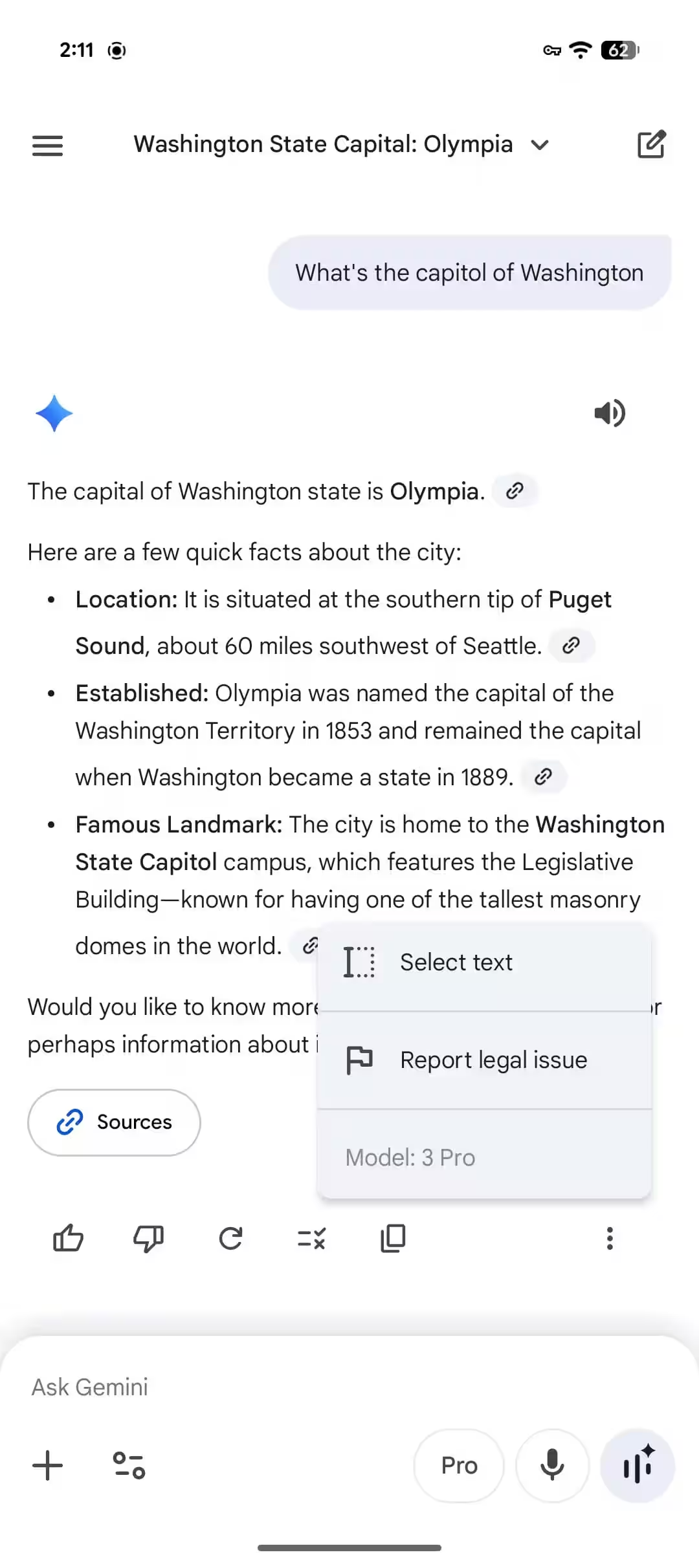
When you click on “Answer now”, there is a confirmation that Gemini is skipping deep analysis and will provide an answer shortly thereafter. According to the three-dot menu at the end of the answer, Gemini uses your chosen model to answer the question rather than switching to Fast. This means you’ll get the results of Pro or Thinking, but without the time spent on detailed information processing.
So you’ll get the results of Pro or Thinking, but without the time spent on detailed information processing.
Accessibility and deployment
Google has announced that the “Answer now” button is replacing the “Skip” feature. This update is rolling out to free and paid Gemini accounts today on Android, iOS, and the web version. On iOS, the app may use the old wording, but the functionality remains identical. The update applies to users who want a quick answer without extensive data analysis.
The update is for users who want a quick answer without extensive data analysis.
Separate limits for different models
Along with the release of the “Answer now” button, Google has separated usage limits for Thinking and Pro models. This allows users more flexibility to use different models depending on their needs. The Thinking model stays for complex tasks that require deep analysis, while the Pro model works as a balance between speed and quality, and the Fast model is for quick queries.