Android 16 QPR3 will let you adjust the brightness of the flashlight on the Pixel

 By Sergey K
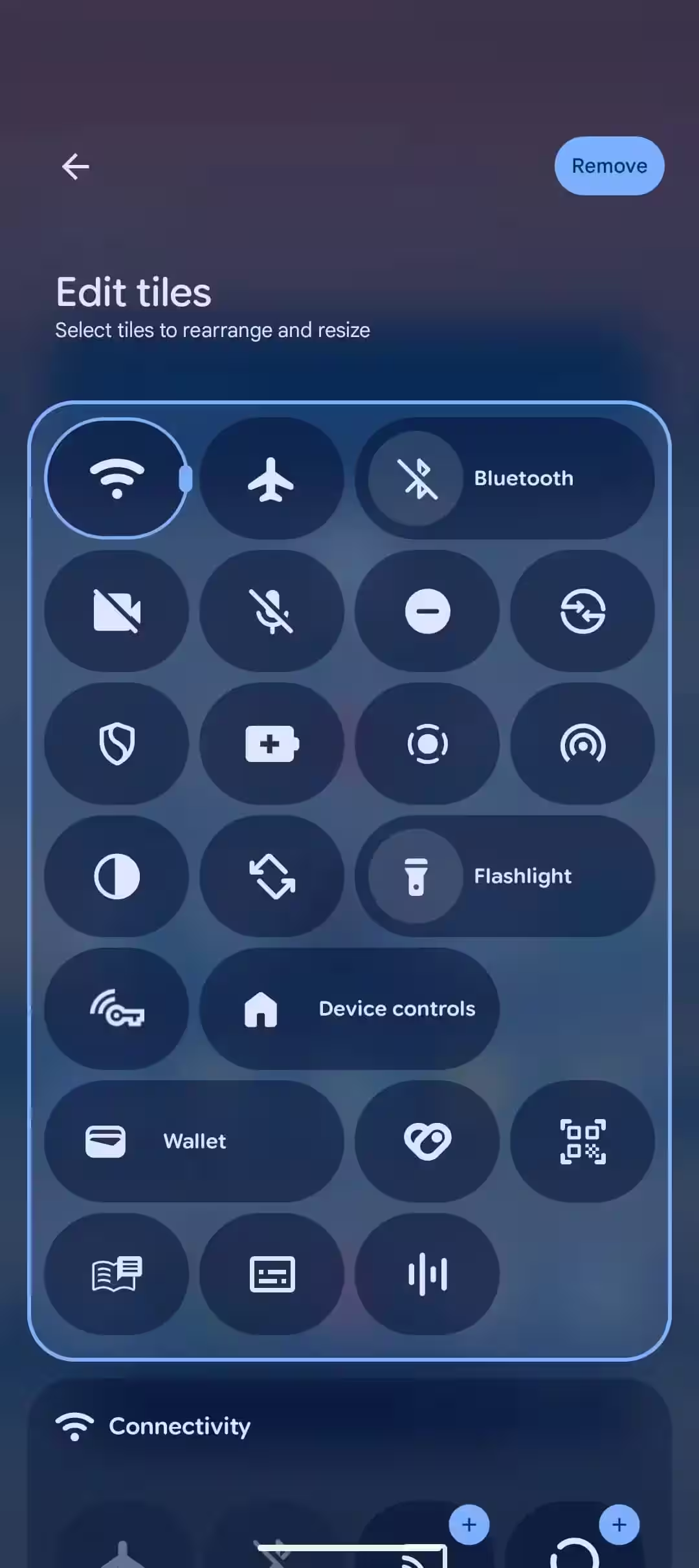
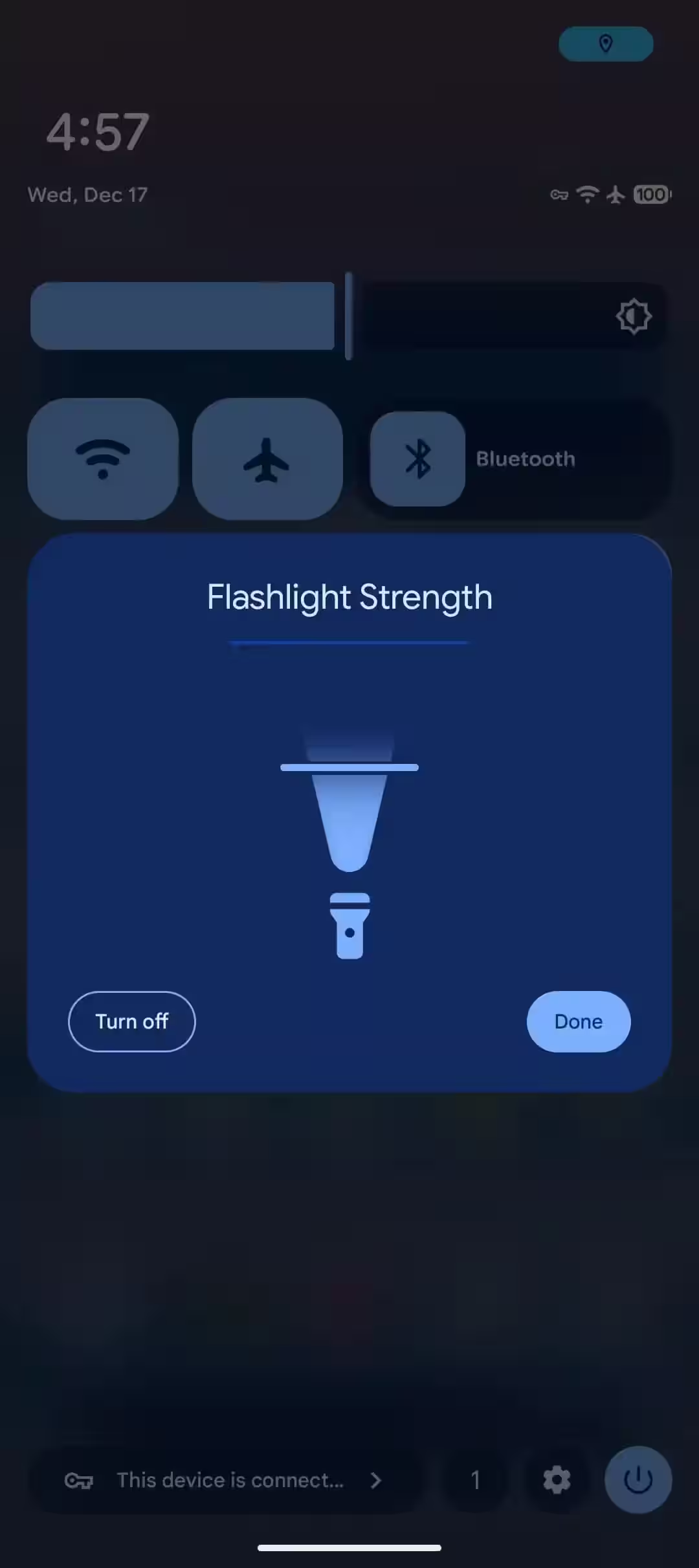
source type=”image/avif” srcset=”https://cdn.itzine.ru/wp-content/uploads/2025/12/pixel-10-pro-green-camera-bar.jpg-180×180.avif 180w, https://cdn.itzine.ru/wp-content/uploads/2025/12/pixel-10-pro-green-camera-bar.jpg-400×400.avif 400w, https://cdn.itzine.ru/wp-content/uploads/2025/12/pixel-10-pro-green-camera-bar.jpg-600×600.avif 600w, https://cdn.itzine.ru/wp-content/uploads/2025/12/pixel-10-pro-green-camera-bar.jpg-640×360.avif 640w, https://cdn.itzine.ru/wp-content/uploads/2025/12/pixel-10-pro-green-camera-bar.jpg-800×450.avif 800w, https://cdn.itzine.ru/wp-content/uploads/2025/12/pixel-10-pro-green-camera-bar.jpg-1200×675.avif 1200w, https://forgeeks.pro/wp-content/uploads/2025/12/pixel-10-pro-green-camera-bar.jpg.avif 1500w”> In Android 16 QPR3, Google will finally add the ability to adjust the brightness of the flashlight on Pixel smartphones right from the Quick Settings panel. Previously, the flashlight on feature was only available in an “on/off” format, without any control over the intensity of the light. The flashlight’s brightness control will be available from the Quick Settings panel. The new feature is implemented through the updated Quick Settings tile and doesn’t require navigating to individual system settings. If you’re using a 2×1 flashlight tile on your smartphone, tapping the round icon, which turns into a rounded square when activated, still just turns on the flashlight. However, tapping the area to the right of the icon not only activates the light, but also opens a new Flashlight Strength menu. In this menu, the user can change the brightness of the flashlight using a slider. The adjustment works either by tapping or dragging the slider. Moving the slider to the lowest position turns the flashlight off completely. The control logic is different for the compact 1×1 tile. A short press turns the flashlight on or off, as before. A long press opens the brightness control panel. This approach is completely consistent with the existing behavior of the Bluetooth tile, where a short tap controls the state of a feature and a long tap opens advanced settings. Anywhere a short tap controls the state of a feature and a long tap opens advanced settings. Besides the flashlight control, Android 16 QPR3 Beta 1 has seen some minor interface changes to the Quick Settings tile editor. The “Edit tiles” header and the “Select tiles to rearrange and resize” description are now left-aligned, rather than centered as in previous versions of the system. This change does not affect functionality, but makes the interface more consistent with other elements of the system. A stable release of Android 16 QPR3 is expected in March 2026. The update will be part of the quarterly Pixel Feature Drop cycle and will be available for supported Pixel smartphone models.
Brightness control via Quick Settings
1×1 tile behavior
Cosmetic UI changes
Update release date