Audio summaries powered by Gemini are rolling out in Google Docs
 By Arthur Berg
Google Docs is getting new features powered by Gemini that make working with lengthy documents much easier. This functionality was first spotted back in September last year, and now Google is gradually rolling out audio summaries. These let you listen to a concise overview of a document instead of reading the whole thing or playing back the full text.
Audio summaries are especially handy when you need to quickly grasp the gist of a document and save time. However, the feature isn’t available to all users yet. It’s currently limited to these subscription plans:
- Business Standard and Plus
- Enterprise Standard and Plus
- Google AI Ultra for Business add-on
- Google AI Pro for Education add-on
- Google AI Pro and Ultra
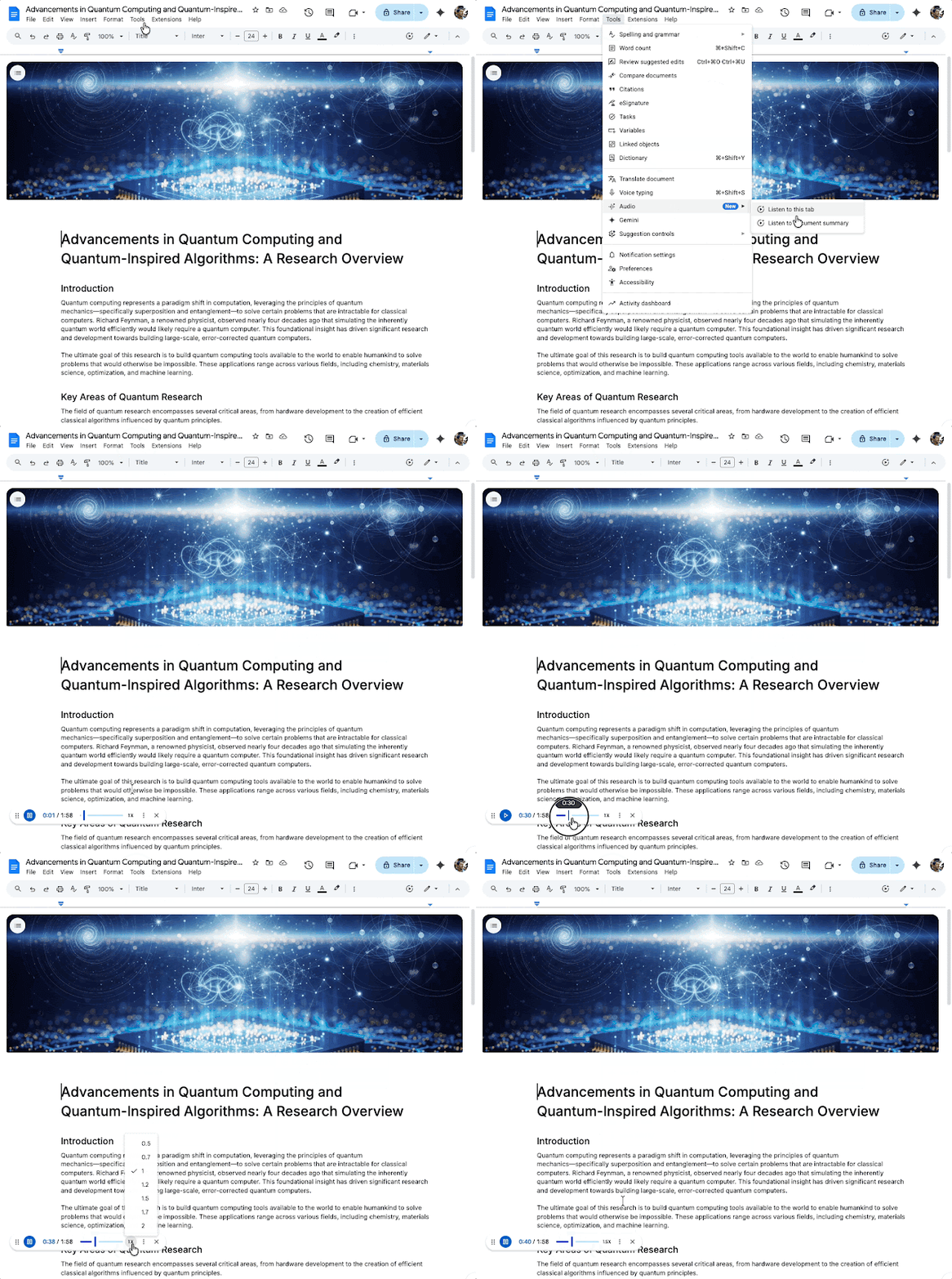
If the audio summary feature is available for your account, you’ll find it in the “Tools” menu within Google Docs. It would be more convenient if Google added a dedicated button in the interface or integrated it right into the Gemini sidebar, but for now, you need to access it through “Tools.” The option is listed as “Audio” and marked with a “New” badge to help you spot it easily.
Once you select “Listen to document summary,” the audio playback starts. Through the three-dot menu, you can pick different voice options such as Narrator, Educator, Teacher, and others, plus adjust the playback speed.
If you prefer to simply listen to the entire document without an AI-generated summary, there’s also a “Listen to this tab” option that reads the full text aloud.
Google notes that the audio summary feature is being rolled out gradually, so it could take a few more weeks before it appears in all Google Docs accounts.